Avoid multi-hop redirect chains
Detects multi-hop redirect chains that waste crawl budget
- A redirect chain is A→B→C — Googlebot may stop following after 5 hops
- Each hop loses PageRank and adds page load latency
- Flatten chains by pointing A directly to C with a single 301
- Audit after every URL migration to catch newly created chains
Rule Details
A redirect chain exists when following a URL requires multiple redirect hops before reaching a 200 response. Each hop costs crawl budget, loses PageRank, and slows page load.
Code Examples
                         ← each arrow = 1 HTTP request
/old-url → (301) → /interim-url → (301) → /final-url → (200)
   Hop 1                              Hop 2                Final
Versus the ideal single redirect:
/old-url → (301) → /final-url → (200)Why It Matters
Redirect chains waste crawl budget, reduce PageRank flow to destination pages, and add latency that harms user experience. Google's redirect guidance (opens in new tab) is the best baseline here, and the fix usually overlaps with direct internal-link updates.
Why Chains Accumulate
Chains typically build up over time:
- URL
/products/shoesis migrated to/shoes(redirect 1) - Later,
/shoesis migrated to/footwear/shoes(redirect 2) - Result:
/products/shoes→/shoes→/footwear/shoes— a chain
Detection
Using curl:
# -L follows redirects; -I shows headers only; shows each hop
curl -L -I -v https://example.com/old-url 2>&1 | grep -E "< HTTP|< Location"

# Example chain output:
# < HTTP/1.1 301 Moved Permanently
# < Location: https://example.com/interim
# < HTTP/1.1 301 Moved Permanently
# < Location: https://example.com/final
# < HTTP/1.1 200 OK
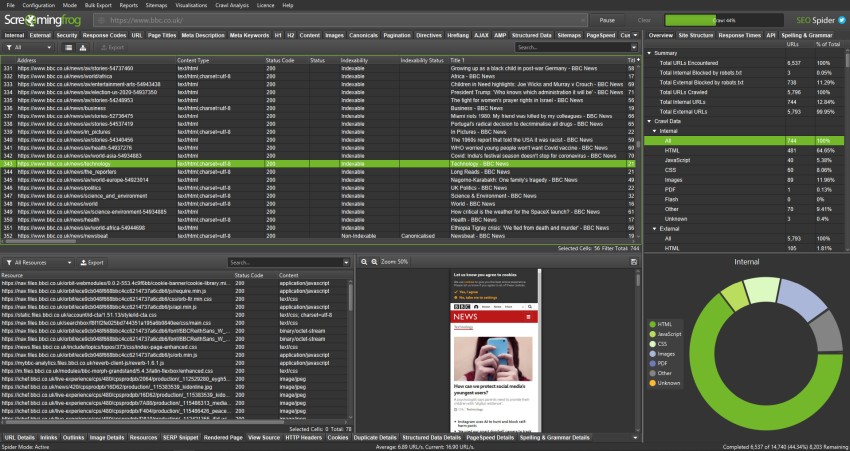
Using Screaming Frog (opens in new tab):
- Crawl the site
- Reports → Redirect Chains
- Export and filter for chains with 2+ hops
Fixing Redirect Chains
If a redirect destination comes from user-controlled input such as ?next= or ?redirect=, allow-list internal paths before issuing the redirect. Otherwise a redirect cleanup can still leave an open-redirect vulnerability in application flows such as login and logout.
Nginx example
# ❌ Bad: Creates a chain
# Rule 1 (added first):
rewrite ^/products/shoes$ /shoes permanent;

# Rule 2 (added later):
rewrite ^/shoes$ /footwear/shoes permanent;

# ✅ Good: Update Rule 1 to skip the intermediate URL
rewrite ^/products/shoes$ /footwear/shoes permanent;
# Remove or replace Rule 2 if it's no longer needed
Redirect map approach (Nginx)
# redirects.map — flat mapping, no chains possible
map $uri $redirect_target {
  /products/shoes     /footwear/shoes;
  /shoes              /footwear/shoes;
  /old-category       /new-category;
}

server {
  if ($redirect_target) {
    return 301 $redirect_target;
  }
}
Apache (.htaccess)
# ❌ Bad: Creates a chain
Redirect 301 /products/shoes /shoes
Redirect 301 /shoes /footwear/shoes

# ✅ Good: Direct redirect to final destination
Redirect 301 /products/shoes /footwear/shoes
Redirect 301 /shoes /footwear/shoes
Standards
- Use these references as the standard for the final search-facing HTML, metadata, and crawl behavior.
- Check the implementation against Google Search Central: Redirect and Google Search before treating the rule as satisfied.
- Check the implementation against Google Search Central: How Googlebot crawls before treating the rule as satisfied.
Verification After Fix
# Confirm single-hop redirect
curl -I https://example.com/products/shoes

# Expected output (single hop):
# HTTP/1.1 301 Moved Permanently
# Location: https://example.com/footwear/shoes

# Then:
curl -I https://example.com/footwear/shoes
# HTTP/1.1 200 OK
Redirect Chain Severity
| Chain Length | Impact |
|---|---|
| 2 hops | Moderate — acceptable in transition |
| 3 hops | Significant — fix promptly |
| 4+ hops | Severe — Googlebot may abandon |
| Redirect loop | Critical — page never loads |
A redirect loop (A→B→A or A→B→C→A) causes browsers to display an error and Googlebot to abandon the URL entirely. Always verify that new redirects don't create loops.
Exceptions
- Staging, utility, login, account, or internal search pages may intentionally use different crawl or index signals if they are not meant to rank.
- Temporary migration states can produce noisy intermediate signals; flag the live production URL pattern, not one-off transition artifacts.
- When redirects, canonicals, robots directives, or indexability signals conflict, fix the strongest final signal first instead of reporting every downstream symptom as a separate blocker.
Verification
Automated Checks
- Inspect rendered HTML and HTTP headers to confirm the expected metadata or crawlability signal is present.
- Test the affected URL with Google Search Console or equivalent tooling where relevant.
- Re-crawl a representative page set after deployment.
Manual Checks
- Confirm the change does not create conflicting canonical-url, robots, or structured-data signals.
Use with AI
Copy these prompts to use with your AI assistant, or install the MCP server to use directly from Claude, Cursor, or Windsurf.
Check
Verify implementation
Follow all redirect rules configured on the site. Identify any URL where the redirect target itself also redirects (chain of 2+ hops). Report the full chain (URL A → URL B → URL C → final), the number of hops, and the HTTP response code at each step.
Fix
Auto-fix issues
For each redirect chain, update the first redirect to point directly to the final destination URL. Example: if A→B→C, update A's redirect to point directly to C, eliminating the B hop. Verify the chain is gone by following the URL and confirming a single 301 or 302 followed by a 200.
Explain
Learn more
A redirect chain occurs when page A redirects to page B, which also redirects to page C. Googlebot follows redirect chains up to a certain number of hops (reportedly 5), then stops—meaning the final destination may not be crawled. Each redirect also loses a portion of the PageRank that would have passed through a direct link.
Review
Code review
Test each redirect rule configured on the server. For each source URL, follow all redirect hops and record the full chain. Flag any chain with 2 or more hops (source → intermediate → final). Check for redirect loops (A→B→A). Verify that the final destination returns 200. Report: source URL, intermediate URLs, number of hops, final URL, and HTTP status at each step.