Link directly to final destination URLs
Detects URLs that redirect and links pointing to redirects
- Internal links should point directly to the final destination URL, not to a URL that redirects
- Each redirect in a chain dilutes the PageRank passed through it
- Update internal links after URL migrations to point to the new URLs
- Use 301 redirects for permanent moves, but then update source links
Rule Details
When your site has undergone URL migrations, domain changes, or structural reorganisation, internal links often still point to old redirecting URLs instead of the final destination. Updating those links passes more value forward and complements the server-side cleanup covered in redirect-chain.
Code Example
Page A links to → /old-url → (301) → /new-url

Instead of:
Page A links to → /new-url (direct, no redirect)
Every redirect in the path:
- Adds latency for users
- Uses crawl budget (Googlebot must make an extra request)
- Partially reduces the PageRank passed to the final destination
Why It Matters
Internal links that point to redirect URLs add latency, waste crawl budget, and pass less PageRank to the destination than a direct link would. Google's redirect guidance (opens in new tab) and crawlable-link guidance (opens in new tab) both point toward linking directly to the final URL whenever possible.
Detection
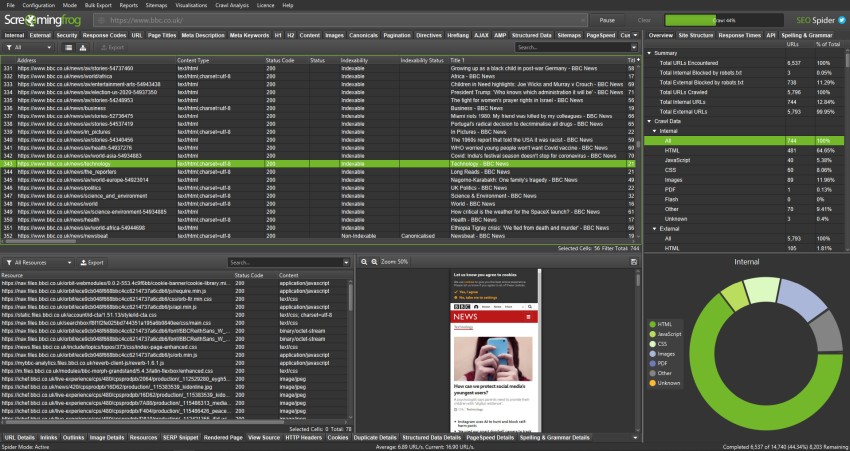
Using Screaming Frog (opens in new tab):
- Crawl → All → filter "Response Code: 3xx"
- Check the "Inlinks" tab for each redirect URL to see what is linking to it
- Export the list of internal links → redirect destination
Using curl:
# Follow redirects and show each hop
curl -L -I https://example.com/old-url 2>&1 | grep -E "HTTP|Location"

# Expected for a clean URL (no redirect):
# HTTP/2 200

# Problem URL (redirect chain):
# HTTP/2 301
# Location: https://example.com/intermediate
# HTTP/2 301
# Location: https://example.com/new-url
# HTTP/2 200
Fixing Internal Links
<!-- ❌ Bad: Links to redirect URL -->
<a href="/old-product-url">Product Name</a>

<!-- After a URL migration, /old-product-url redirects to /new-product-url -->

<!-- ✅ Good: Link directly to final URL -->
<a href="/new-product-url">Product Name</a>
Systematic Fix Process
- Identify all 301 redirect rules currently in place (from nginx/Apache config, or redirect plugin)
- Run a site crawl — identify internal links pointing to any of those redirect source URLs
- For each match, update the internal link href to the redirect destination URL
- Re-crawl to verify no internal links remain pointing to redirect URLs
- Keep the 301 redirect rules in place (external links and bookmarks still need them)
Sitemap Links
Also check your XML sitemap — it should contain only final destination URLs, never redirect URLs:
<!-- ❌ Bad: Sitemap entry points to redirect URL -->
<url>
  <loc>https://example.com/old-category/shoes</loc>
</url>

<!-- ✅ Good: Sitemap entry points to final URL -->
<url>
  <loc>https://example.com/shoes</loc>
</url>
How Much PageRank Is Lost?
Google has not published exact figures, but has confirmed that each redirect in a chain results in some PageRank loss. A direct link passes the maximum available PageRank. A link → 301 → destination passes slightly less. A link → 301 → 301 → destination passes noticeably less.
For important pages, the difference matters. Always prefer direct links.
Exceptions
- Staging, utility, login, account, or internal search pages may intentionally use different crawl or index signals if they are not meant to rank.
- Temporary migration states can produce noisy intermediate signals; flag the live production URL pattern, not one-off transition artifacts.
- When redirects, canonicals, robots directives, or indexability signals conflict, fix the strongest final signal first instead of reporting every downstream symptom as a separate blocker.
Standards
- Use these references as the standard for the final search-facing HTML, metadata, and crawl behavior.
- Check the implementation against Google Search Central: Redirect and Google Search before treating the rule as satisfied.
- Check the implementation against Google Search Central: Links that Google follows before treating the rule as satisfied.
Support Notes
- Search-facing behavior can differ between rendered HTML, crawlers, and browser environments, so verify the final output on live routes and not only in source templates.
- Document any platform or browser-specific limitation only when it materially changes the crawl, metadata, or indexing signal.
Verification
Automated Checks
- Inspect rendered HTML and HTTP headers to confirm the expected metadata or crawlability signal is present.
- Test the affected URL with Google Search Console or equivalent tooling where relevant.
- Re-crawl a representative page set after deployment.
Manual Checks
- Confirm the change does not create conflicting canonical-url, robots, or structured-data signals.
Use with AI
Copy these prompts to use with your AI assistant, or install the MCP server to use directly from Claude, Cursor, or Windsurf.
Check
Verify implementation
Crawl internal links across the site. For each <a href='...'> tag, follow the URL and check the HTTP response code. Flag any internal link that resolves to a 301 or 302 redirect rather than a direct 200 response. Report the source page, linked URL, and the final destination URL after following the redirect.
Fix
Auto-fix issues
For each internal link pointing to a redirect URL: update the href attribute to point directly to the final destination URL (the 200-status URL after following all redirects). Keep the redirect in place for external links, but update all internal links to point directly to the canonical-url destination.
Explain
Learn more
When Googlebot follows a link to a URL that then redirects to another URL, PageRank is partially lost at each hop. Google has stated that redirects dilute PageRank. Additionally, linking to redirect URLs wastes crawl budget since Googlebot must make multiple requests to reach the final content. Updating internal links to point directly to destination URLs passes full PageRank and improves crawl efficiency.
Review
Code review
For each internal <a href='...'> link, follow the URL and check the HTTP response code. If the response is 301 or 302, record the Location header and continue following. Report all internal links that resolve via one or more redirects before reaching a 200 response. Include: source page, link href, each redirect URL in the chain, and final destination URL.