- URL parameters can create thousands of duplicate URLs from a single page
- Use canonical tags to consolidate parametric URL variants to a single URL
- Strip tracking parameters (utm_*, fbclid, gclid) before setting the canonical-url
- For critical parameters (page, sort), include them in the canonical URL
Rule Details
URL parameters are query string values appended to a URL path. While often necessary for functionality, they can generate hundreds or thousands of near-duplicate URLs, so parameter handling usually belongs in the same discussion as canonical-url and paginated URL strategy.
Code Examples
Tracking Parameters — Always Strip
<!-- URL: /products?utm_source=newsletter&utm_campaign=summer -->

<!-- ✅ Canonical strips tracking params -->
<link rel="canonical" href="https://example.com/products" />
Filter Parameters — Canonicalize to Base
<!-- URL: /shoes?color=red&size=10 -->

<!-- ✅ Canonical points to base category page -->
<link rel="canonical" href="https://example.com/shoes" />

<!-- OR self-canonicalize if filtered content is indexable -->
<link rel="canonical" href="https://example.com/shoes?color=red&size=10" />
Pagination — Self-Canonicalize
<!-- URL: /blog?page=3 -->

<!-- ✅ Each page self-references -->
<link rel="canonical" href="https://example.com/blog?page=3" />
Search Results — Often Noindex
<!-- URL: /search?q=sourdough -->

<!-- ✅ Search result pages are usually noindexed to avoid thin content -->
<meta name="robots" content="noindex, follow" />
Why It Matters
Uncontrolled URL parameters generate duplicate content that wastes crawl budget and splits PageRank across URL variants. Google's URL parameter guidance (opens in new tab) is the main reference for deciding which parameterized URLs deserve canonical-url consolidation.
Parameter Categories
| Type | Examples | SEO Impact |
|---|---|---|
| Tracking | utm_source, fbclid, gclid, ref | Duplicate content, always strip from canonical-url |
| Session | sessionid, sid, PHPSESSID | Duplicate content, strip from canonical-url |
| Filtering | color=red, size=large | May change content; canonicalize to base |
| Sorting | sort=price, order=asc | Same items, different order; canonicalize to base |
| Pagination | page=2, p=3 | Different content; self-canonicalize or include |
| Search | q=shoes, search=dress | Unique results; usually noindex |
Next.js Canonical with Clean URL
// Strip tracking params before setting canonical-url
function getCanonicalUrl(url: URL): string {
  const trackingParams = ['utm_source', 'utm_medium', 'utm_campaign',
    'utm_term', 'utm_content', 'fbclid', 'gclid', 'ref']

  const cleanUrl = new URL(url)
  trackingParams.forEach(p => cleanUrl.searchParams.delete(p))

  return cleanUrl.toString()
}

export async function generateMetadata({ request }): Promise<Metadata> {
  const canonical-url = getCanonicalUrl(new URL(request.url))
  return {
    alternates: { canonical-url },
  }
}
Parameter Detection Audit
- Use Google Search Console → Legacy tools → URL Parameters (if available)
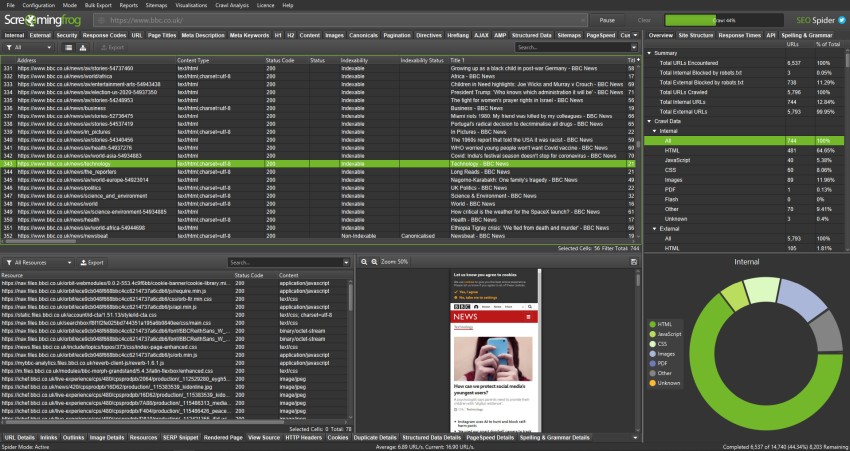
- Use Screaming Frog (opens in new tab): Configuration → Spider → Crawl within subfolder, check URLs containing
? - Review your analytics for top parameter combinations
- Check server logs for crawled parameter variants
Google's URL Parameters tool in Search Console was removed. Google now handles parameters automatically via canonical tags. Ensure every parameterized URL has an appropriate canonical tag.
Exceptions
- Staging, utility, login, account, or internal search pages may intentionally use different crawl or index signals if they are not meant to rank.
- Temporary migration states can produce noisy intermediate signals; flag the live production URL pattern, not one-off transition artifacts.
- When redirects, canonicals, robots directives, or indexability signals conflict, fix the strongest final signal first instead of reporting every downstream symptom as a separate blocker.
Standards
- Use these references as the standard for the final search-facing HTML, metadata, and crawl behavior.
- Check the implementation against Google Search Central: URL parameters before treating the rule as satisfied.
- Check the implementation against Google Search Central: Consolidate duplicate URLs before treating the rule as satisfied.
Verification
Automated Checks
- Inspect rendered HTML and HTTP headers to confirm the expected metadata or crawlability signal is present.
- Test the affected URL with Google Search Console or equivalent tooling where relevant.
- Re-crawl a representative page set after deployment.
Manual Checks
- Confirm the change does not create conflicting canonical-url, robots, or structured-data signals.
Use with AI
Copy these prompts to use with your AI assistant, or install the MCP server to use directly from Claude, Cursor, or Windsurf.
Check
Verify implementation
Identify URL parameters in use across the site (filter, sort, color, size, utm_*, page, etc.). For each parameter type, check whether the page has a canonical tag. Verify that tracking-only parameters (utm_source, fbclid, gclid) are excluded from canonical URLs. Identify URLs with 3+ parameters and review for potential crawl budget waste.
Fix
Auto-fix issues
Add canonical tags to parameter-based URLs pointing to the parameter-free or preferred URL. Remove tracking parameters from canonical tags. For sorting/filtering parameters that change content meaningfully (page=2, sort=price), either canonicalize to the base URL or self-canonicalize consistently.
Explain
Learn more
URL parameters like ?color=red&size=large&sort=price&utm_source=google can generate thousands of unique URLs for the same underlying content. Without canonical tags, Googlebot crawls all variants, treating each as a separate page. This wastes crawl budget, creates duplicate content, and dilutes PageRank.
Review
Code review
Enumerate all URL parameter patterns used across the site. For each parameter type, check if pages with those parameters have canonical tags. Verify tracking parameters (utm_*, fbclid, gclid) are stripped from canonical URLs. Check that filter/sort parameter URLs either self-canonicalize or canonical-url to the base URL. Report the total number of unique parameter combinations crawlable.